
Opt in per project
Keep personal plans local. Enable cloud sync only on the projects that need another device or another person.
Tasks, costs, dates, files, owners, dependencies, and live dashboards on one visual canvas. Local by default, Cloud Pro when a project needs sync or shared editing.
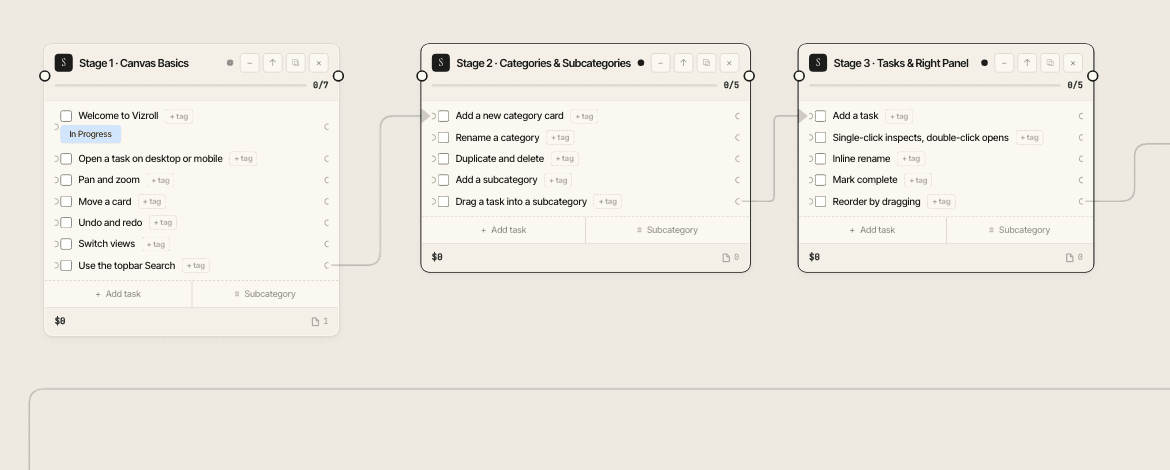
Vizroll stays local-first. Paying users can add cloud sync and shared project access project by project, so private work does not become cloud work by accident.
Keep personal plans local. Enable cloud sync only on the projects that need another device or another person.
When a synced project is open and connected, Vizroll listens for cloud changes and refreshes the project after edits land.
Invite friends, family, or collaborators by email after they have logged in once. Choose editor or viewer access for each person.
Disable cloud sync from a project when you want that local copy to stop uploading future changes.
Vizroll is built for private project planning first: open the app, work locally, export when you need a copy, and choose cloud sync only when the project calls for it.
Projects are stored in this browser's IndexedDB unless you explicitly enable cloud sync on that project.
Cloud projects show their shared members, roles, and sync state. Owners and admins can remove shared access from the project list.
Export JSON backups for recovery or transfer, plus ZIP/PDF/CSV outputs when you need files outside the app.
New users should open the desktop or mobile Vizroll tour first. The other templates are working project starters you can rename and make your own.
Break work into categories: rooms, stages, weeks, kids, plants. Each card holds a checklist.
Owners, dates, costs, files, dependencies, risks. Tags are the source of truth.
Schedule, financials, labor, files, blockers. Dashboards stay in sync with the canvas.
Vizroll is a Progressive Web App: no app store, no account, no install package.